
For years, I’d accepted the small annoyances of Windows as just part of life — the fan that whirs up out of nowhere, the odd sleep–wake ritual when docking a laptop, the settings that never quite behave the way you told them to. I’d even convinced myself that it was all fine because “at least it’s familiar.”
Then I tried Zorin OS, and the illusion shattered.
I’ve dabbled with Linux since the early 2000s — Ubuntu, Mint, Fedora, Elementary, Pop!_OS, you name it. They were always close to being usable for everyday life, but never quite there. Something would inevitably go wrong: an update would break Wi-Fi, a display setting would vanish, or it would just feel clunky next to the refinement of Windows or macOS. Perfect for so many side tech projects, but nothing I would recommend as a daily driver.
Zorin changed that. It’s the first Linux system I’ve used that feels genuinely ready for the average, non-technical user. Since switching I haven’t stopped telling others to do the same, and now you’re in for it too.
A Cleaner, Calmer Experience
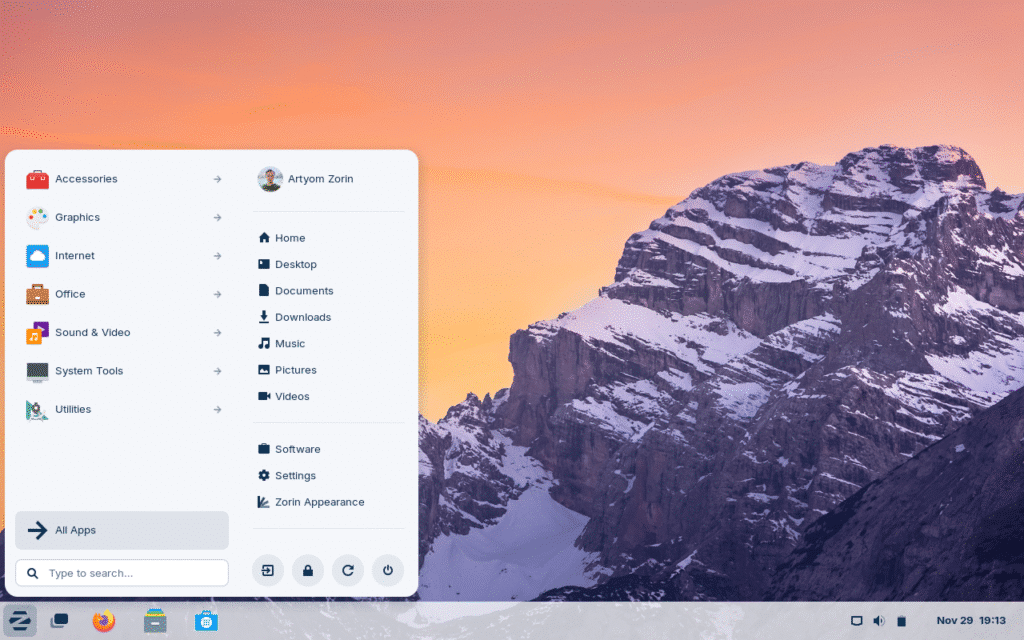
Zorin immediately felt different. The desktop was crisp, deliberate, and free of noise. I could open the settings panel, connect a Bluetooth device, or switch displays without tripping over endless nested menus. Nothing about it felt forced.
I realised quickly how much friction I’d normalised in Windows. Tasks that should be effortless — toggling an audio device, connecting an external monitor, even waking the machine from sleep — had become little rituals of frustration. Zorin feels like the opposite: a design that assumes you have better things to do than troubleshoot your computer.
And while macOS has its aesthetic charm, Apple’s ecosystem can feel claustrophobic. Zorin borrows the best of both worlds — the clarity of macOS and the flexibility of Linux — and ditches the baggage of both.
My Setup: £70 of Zen Computing
I’m running Zorin on a second hand eBay bought Lenovo ThinkCentre M910q, a £70 mini PC with a 7th-gen i5-7400T, 16 GB of DDR4 RAM, and a 256 GB NVMe SSD. Not exactly cutting-edge hardware, but it’s astonishingly capable. Given that what I’ve switched from is an Asus M16, Intel i9 gas guzzling beast and my day-to-day experience has actually improved it’s hard not to be impressed. Now I am not saying my set up will work for those editing large videos or undertaking GPU heavy tasks, that’s not my point. The point is, with such modest resources it works wonders. So given more power I can only imagine what it can achieve. Yes, I am eyeing my laptop sat sheepishly in the corner as I type this.
With four workspaces open and roughly 40 Chrome tabs (don’t judge me), it barely flinches. The fans rarely spin up, power draw is minimal, and the system stays cool and quiet. Compare that to my high-spec Windows laptop, which feels like it’s constantly arguing with itself — waking from sleep unpredictably, chewing through battery during “idle,” and occasionally refusing to recognise its own external display.
On Zorin, those small frustrations simply vanish. It sleeps when I tell it to sleep. It wakes up instantly. USB devices, monitors, keyboards, and Bluetooth peripherals just work. I don’t have to second-guess anything.
The Everyday Experience
Linux distros often succeed technically for projects but fail experientially for daily use. Zorin nails both. It’s fast to boot, quick to wake, and remarkably consistent. Updates happen quietly in the background, without demanding attention at the worst possible moment.
When you do update, it’s quick: a few seconds, not a forced coffee break. Reboots are near-instant. File management, search, and multitasking all feel cohesive.
The user interface itself is deceptively simple. Zorin’s layout mimics Windows by default — taskbar at the bottom, start-menu-style launcher, system tray on the right. But underneath that familiar skin is the GNOME desktop, a flexible and modern environment built for multi-monitor and multi-workspace workflows.
I’ve set up four virtual desktops — writing, research, admin, and comms — and can flick between them with a quick shortcut. Each workspace feels distinct but part of a single environment. There’s a calm rhythm to using it, a sense that the machine is finally working with you rather than against you.
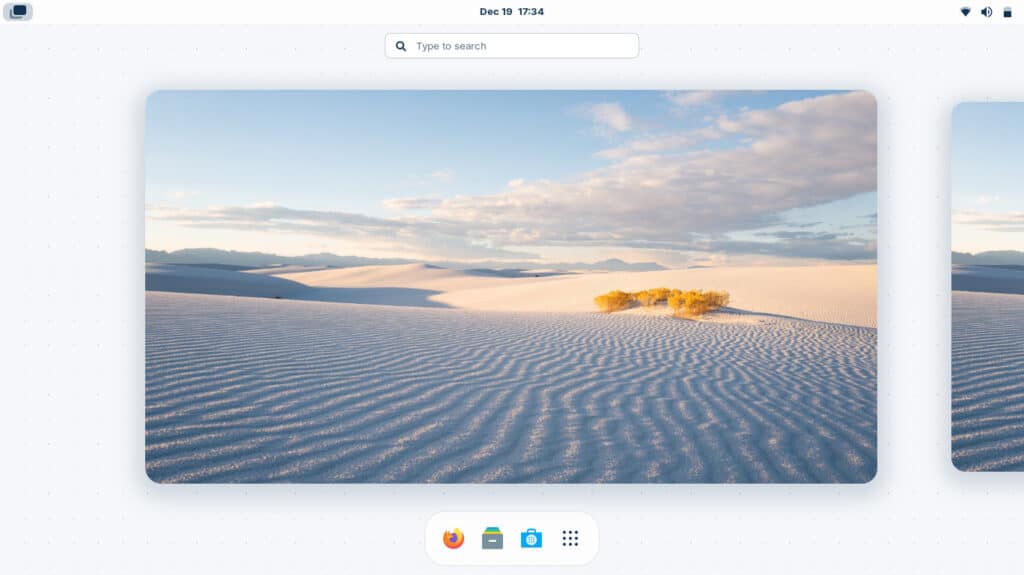
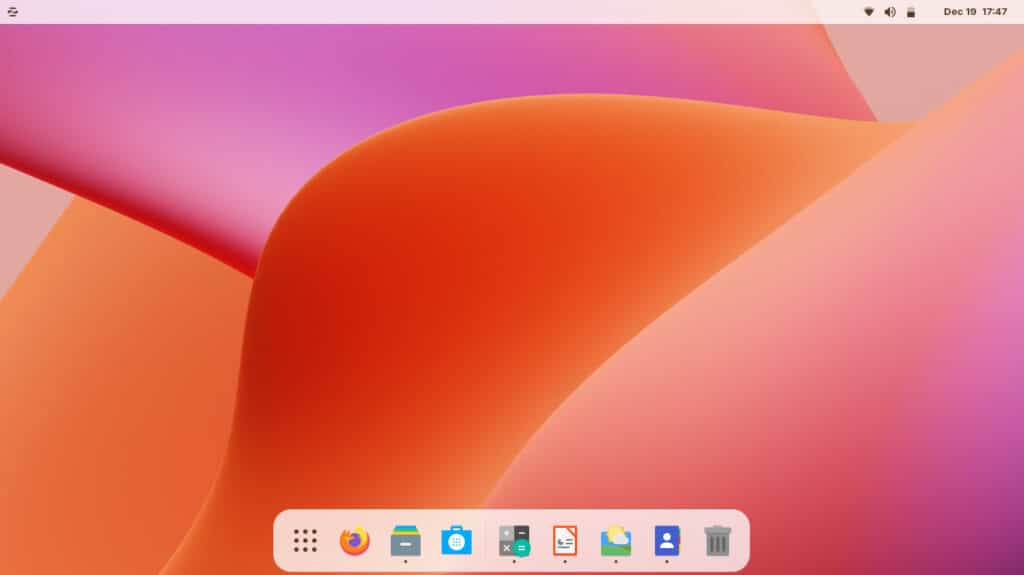


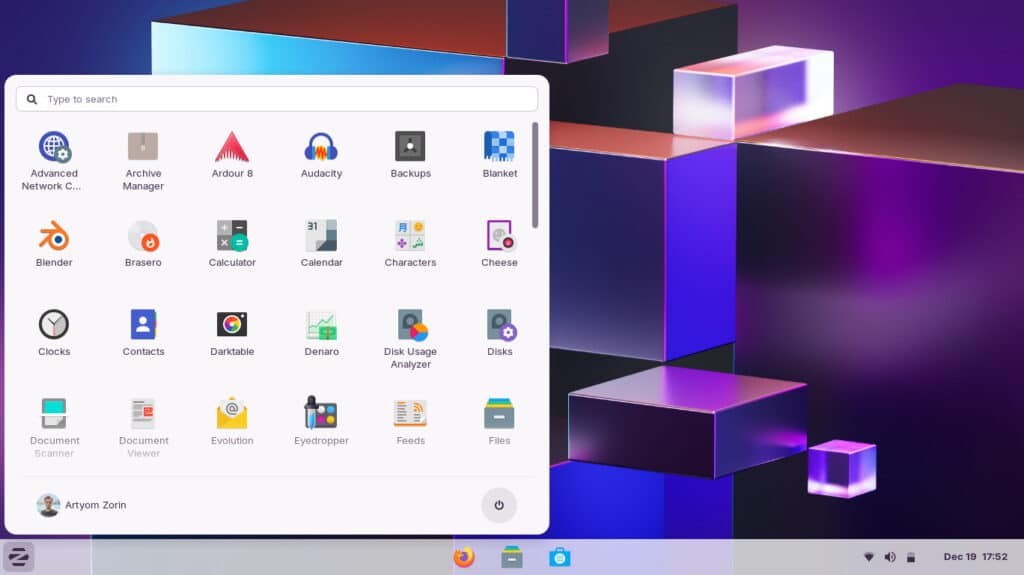


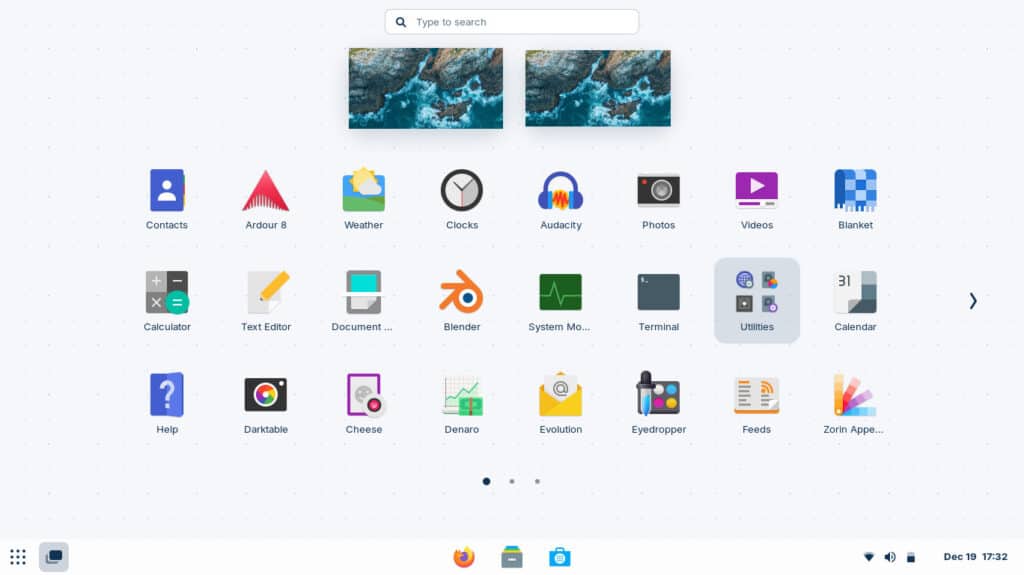

Oh so many beautiful layouts!!
Performance and Efficiency
Zorin is based on Ubuntu LTS, which gives it industrial-grade stability and driver support. It’s a Debian-based system, meaning software repositories are enormous — virtually any tool, utility, or creative package you might need is available with a single command.
The system footprint is small: idle RAM usage sits around 1 GB, leaving plenty of headroom for heavier applications. On my modest ThinkCentre, everything opens instantly. Even with multiple browser windows, email clients, and the occasional virtual machine, it never feels laboured.
Unlike Windows, Zorin doesn’t decide to index, defrag, or “optimise” in the middle of a Zoom call. It’s predictable — and that’s liberating.
Living in the Browser
The truth is that for most people, the operating system is now just the bridge to a browser. Work, entertainment, communication — it all happens there.
Zorin comes with Brave, a Chromium-based browser that looks and behaves like Chrome but with far tighter privacy defaults. It blocks trackers, hides intrusive ads, and still syncs seamlessly with Chrome extensions. If you prefer the genuine article, you can install Chrome itself in under a minute and sign straight in — everything syncs across instantly.
For me and my wife, that’s been key. Between Google Drive, Docs, Gmail, and YouTube, most of our computing life already exists online. Zorin simply provides a stable, clean, distraction-free platform to access it all. It’s fast, lightweight, and never nags.
Mac Users Welcome
My wife has always been a Mac devotee. I set her up with her own Zorin login, customised to resemble macOS — dock at the bottom, top bar with the Apple-style menu, rounded corners, and the clean WhiteSur theme.
She took to it immediately. Within minutes she was navigating comfortably, remarking that it “felt faster than the MacBook.” The resemblance is close enough that you’d need to look twice to realise it isn’t running Apple’s OS.
That adaptability is part of Zorin’s charm: it lets each user decide how their environment should behave. Windows users can keep the familiar layout. Mac users can have their dock and menu bar. And both can share the same machine without it feeling like a compromise.
Versions and Value
Zorin offers several editions:
- Zorin OS Core — Free. Fully functional for home and professional use.
- Zorin OS Pro — £49. Adds premium layouts (including the macOS and touch-optimised versions) plus a curated suite of creative and productivity tools.
- Zorin OS Lite — Also free, built for older hardware with the lightweight XFCE desktop.
The Core edition will suit almost everyone, but I encourage anyone who gets settled into it to buy the Pro version to support the developers. The £49 isn’t just for extra themes — it funds a small team trying to make Linux accessible to the masses. Given the low powered nature of the hardawrs it will excel on, it’s a damn fine investment.
Reliability and Security
Security is one of those topics that only becomes visible when it fails. Zorin inherits Linux’s strong fundamentals:
- No forced reboots after updates.
- Minimal background telemetry.
- Built-in firewall and encryption support.
- Virtually immune to the typical Windows malware landscape.
It also benefits from Ubuntu’s security updates, meaning patches arrive quickly and seamlessly. For users who value privacy but don’t want to live in perpetual “tech support mode,” it’s the best of both worlds.
For Professionals and Businesses: Zorin Grid
If you’re managing more than one machine, Zorin Grid is worth knowing about. It’s an optional management platform that allows IT teams or business owners to deploy, update, and configure multiple Zorin installations remotely.
Think of it as Microsoft Intune or Group Policy, but simpler, cheaper, and without the labyrinth of licensing agreements. You can set policies, install software, or roll out updates across a company network from a single dashboard. For small businesses or remote teams, it’s a serious alternative to the Windows ecosystem.
The Philosophy Behind Zorin
What sets Zorin apart isn’t just polish — it’s purpose. The developers (a pair of brothers from Ireland, incidentally) have spent over a decade refining the idea that Linux shouldn’t require technical literacy to use.
They’ve built an environment where normal users can benefit from Linux’s security and speed without having to touch the terminal. Yet, for those of us who do enjoy the command line, everything’s still there under the hood.
It’s an elegant balance: freedom for enthusiasts, simplicity for everyone else. In a world where mainstream systems either lock you in (Apple) or overwhelm you with noise (Microsoft), that’s a refreshing middle ground.
Why It’s Worth Switching
If you’re considering a change, here’s the reality:
- You can download Zorin for free and test it live from a USB stick without altering your existing system.
- It runs beautifully on older hardware, turning what might otherwise be e-waste into a fast, modern workstation.
- It supports all major peripherals, file formats, and media codecs straight out of the box.
- You can dual-boot it alongside Windows until you’re comfortable.
The transition is gentler than you’d imagine. Within a day, I was doing everything I normally do — writing, browsing, streaming, working — but with none of the usual friction.
Zorin has reminded me that computers should feel empowering, not exhausting.
Final Thoughts: Calm Computing
Zorin OS has made me re-evaluate what I actually need from a computer. I don’t want constant notifications, update restarts, or mystery background tasks. I want clarity, speed, and control — and Zorin gives me that.
It’s stable, respectful, and efficient. It doesn’t mine my data or second-guess my intentions. It simply works.
If you’ve grown weary of the noise and nonsense that modern operating systems throw at you, take an evening to try Zorin. You might find, as I did, that calm computing isn’t a myth — it’s just been hiding in plain sight.
How to Try It Yourself
- Visit zorin.com/os and download Zorin OS Core.
- Use a free tool such as Balena Etcher to flash it to a USB stick.
- Boot your PC from that USB drive and choose “Try Zorin OS” — you can explore it without installing anything.
- If it clicks with you, install it alongside (or instead of) Windows.
Give it a week. You may never look back.


